How a 25-Person Consulting Firm Closes Remote I-9s in Five Minutes Flat
Greg Hartman runs Brentline Advisors — a consulting firm advising mid-market call centers on workforce design, agent training, and operational efficiency. Twenty-five people on the roster, split between roughly twelve W-2 employees and thirteen 1099 contractors. Everyone fully remote, distributed across eleven states.
Last fall Greg hired a new W-2 senior consultant in North Carolina. Her offer letter went out through DocuSign. Her W-4 came back as an emailed PDF. Her direct deposit form lived briefly in a Google Drive folder. By the morning of her third day on payroll, Greg realized that the one document required by federal law — Form I-9 Section 2 — wasn't going to happen, because no one in his stack of tools had any idea what Section 2 was.
He spent the next four hours making phone calls. To his attorney. To a notary in the new hire's town. To his payroll provider. To a former HR consultant who used to handle this when his last firm had a physical office. Section 2 got completed at 4:47 PM on day three — about seventy minutes before the deadline expired — by a notary the new hire drove twenty-two minutes to find.
The next time Brentline hired a remote W-2, Greg ran the entire I-9 — Section 1 by the new hire, Section 2 by an authorized representative the new hire chose herself — in five minutes flat, and walked away with an audit-ready USCIS-format PDF stored alongside the rest of her onboarding documents.
The problem: DocuSign signs documents, but it doesn't examine them
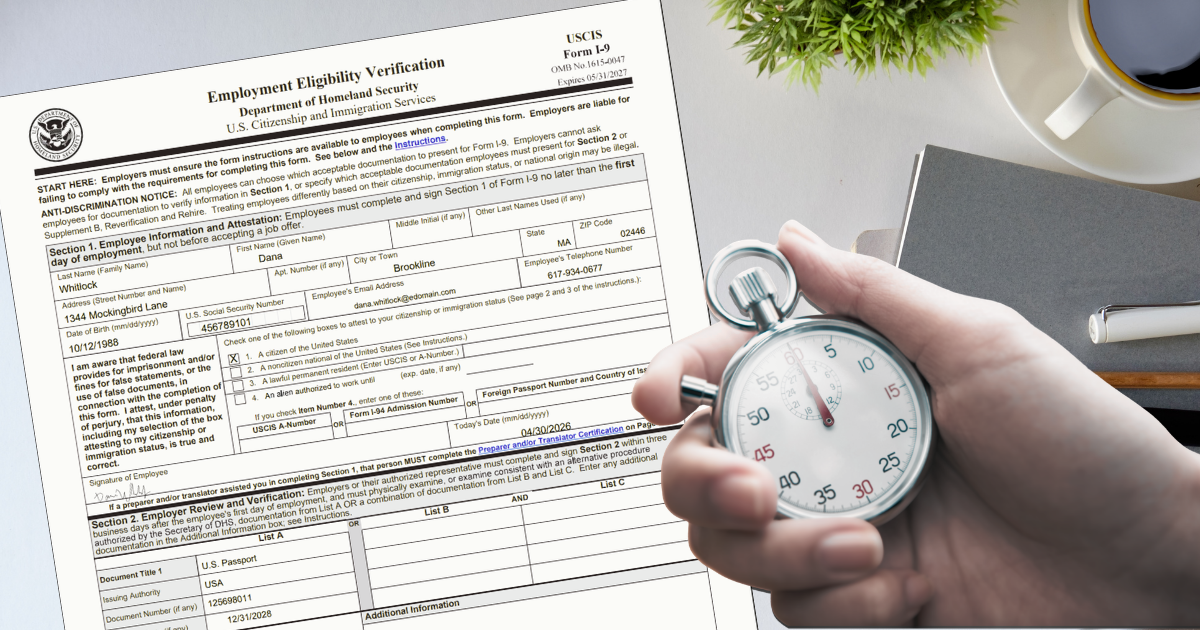
Form I-9 Section 2 is the part of federal employment eligibility verification that requires physical (or video, in limited cases) examination of the new hire's identity and work authorization documents within three business days of their first day. The employer or a designated authorized representative reviews the documents the employee presents — passport, driver's license, Social Security card — records the document details, and signs under penalty of perjury that the documents appear genuine.
That's a workflow, not a signature. E-signature tools collect signatures on documents. They don't manage document examination, route work to a third-party representative, or render the official USCIS form when the work is done. For a small consulting firm with a fully-remote team, the gap between "we use DocuSign for everything" and "Section 2 is legally required" is exactly the gap Greg fell into.
The civil penalties for missed or incorrectly completed I-9s run from $288 to $2,861 per form as of 2026, and ICE typically discovers them during workplace audits years after the fact. Greg's near-miss would have looked exactly the same to an auditor as a clean form. His next hire could not be a near-miss.
What changed when Brentline switched
Greg consolidated his onboarding stack into a single OnboardingGenie template covering offer letter, W-4, I-9, direct deposit, NDA, and consulting-firm policies. The new hire receives one magic link and completes everything from her phone or laptop, including Section 1 of the I-9. For Section 2, the system surfaces whichever verification path is legally appropriate for Brentline's situation — and the rendered PDF reflects that choice automatically.
Which Section 2 path is right for your situation?
OnboardingGenie supports all three Section 2 verification paths the law allows — in-person, video examination, and authorized representative — and renders the official USCIS form correctly for whichever one is used. The right choice depends on whether you have someone local to the new hire and whether your firm is enrolled in E-Verify.
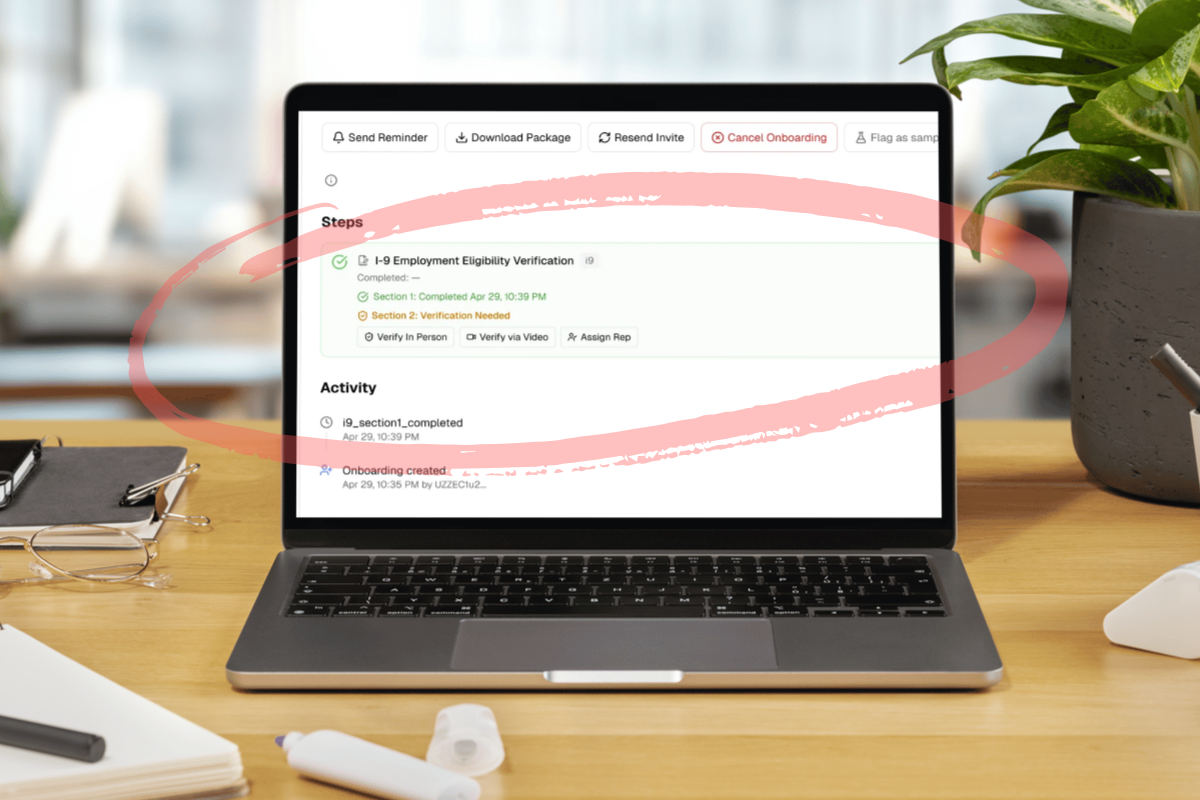
Verify in person
The path most firms with a physical office still use. The employer or a designated admin examines the new hire's documents face-to-face, completes Section 2 directly in the app, and signs as the examiner. The result is a standard, fully compliant I-9 with no special procedure markers on the form.
This is the right path when the new hire is starting at a location where someone authorized can physically meet them — a partner, an HR manager, an office-based supervisor.
Verify via video (E-Verify only)
The DHS-authorized alternative procedure for examining documents via live video, made permanent effective August 1, 2023. Available only to employers enrolled in E-Verify in good standing. When this path is used, OnboardingGenie automatically marks the Alternative Procedure checkbox on the rendered Section 2 PDF — which is a DHS requirement, not a nice-to-have. A video-examined I-9 without that checkbox is technically out of compliance even if everything else is correct.
The Verify via Video button only appears in the OnboardingGenie admin view when the firm has E-Verify Enrolled turned on in its organization settings. Firms not enrolled don't see the option at all, which prevents the most common mistake — using video without the legal authority to do so.
Assign authorized representative
The right path for remote hires when the firm doesn't have someone local to the new hire and isn't E-Verify enrolled. The admin enters the rep's name and email, OnboardingGenie generates a single-use magic link, and the rep — usually a notary, attorney, or trusted contact the new hire identifies — completes Section 2 directly from the email. No account creation, no software login, no learning curve.
This was the right path for Brentline's second remote hire. It's also the path most growing small firms default to until they're large enough that E-Verify enrollment makes operational sense.
What the five-minute walkthrough actually looks like
Greg's second remote hire used the authorized representative path — the new hire identified a notary in her own town, and Greg sent the rep invite the moment Section 1 came back. Here's the actual timeline, captured from a clean test run with composite data:
| Time | Event |
|---|---|
| 0:00 | Onboarding link sent to the new hire |
| 0:02 | Section 1 complete — name, address, citizenship status, signature submitted |
| 0:02 | Authorized representative invited; magic-link email fires |
| 0:05 | Rep completes Section 2 — examines documents, fills List A details, signs |
| 0:05 | Official USCIS Form I-9 PDF renders, both signatures embedded |
Five minutes from open to audit-ready. The exact times will vary — the new hire could pause for lunch, the rep could be in a meeting — but the workflow itself adds no delay beyond the actual time spent on each form.
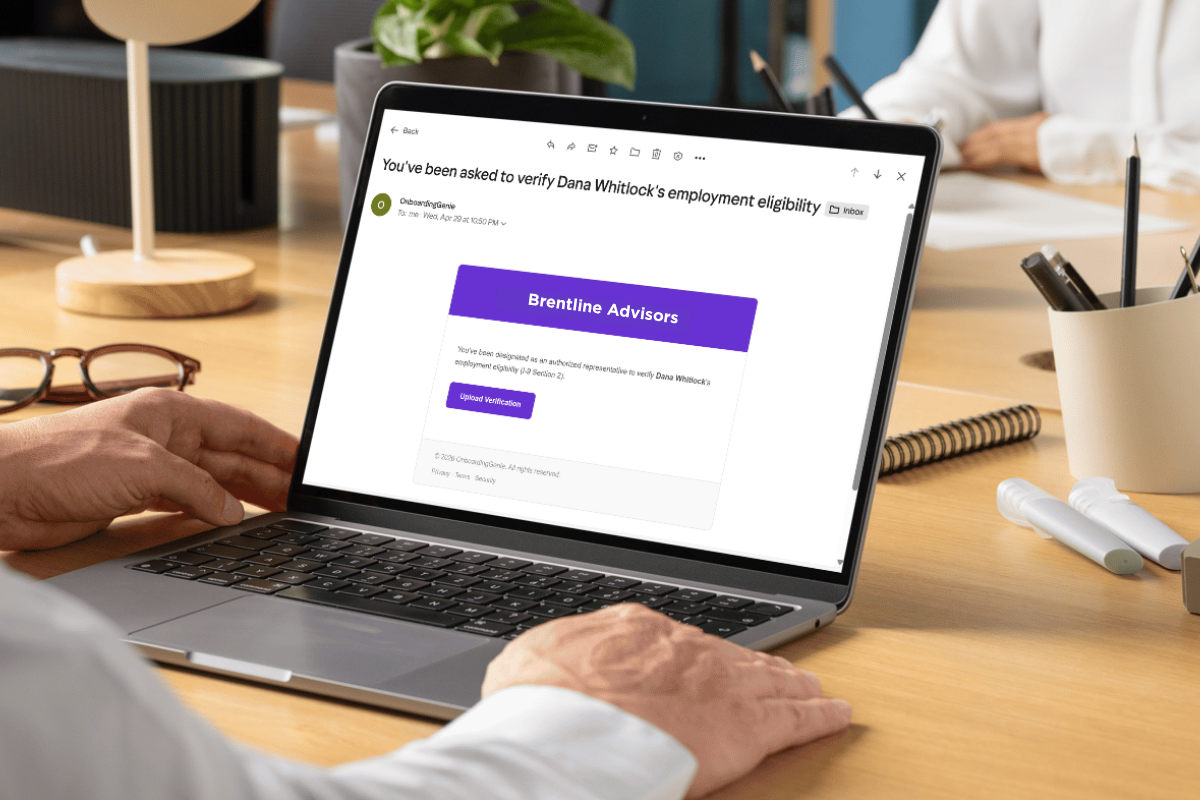
The rep clicks the button, lands on a Section 2 form prefilled with the employee's name, picks the document approach (List A, or List B + List C), enters the document details, signs, and submits. No account creation. No password. No download-and-email-back-the-PDF.
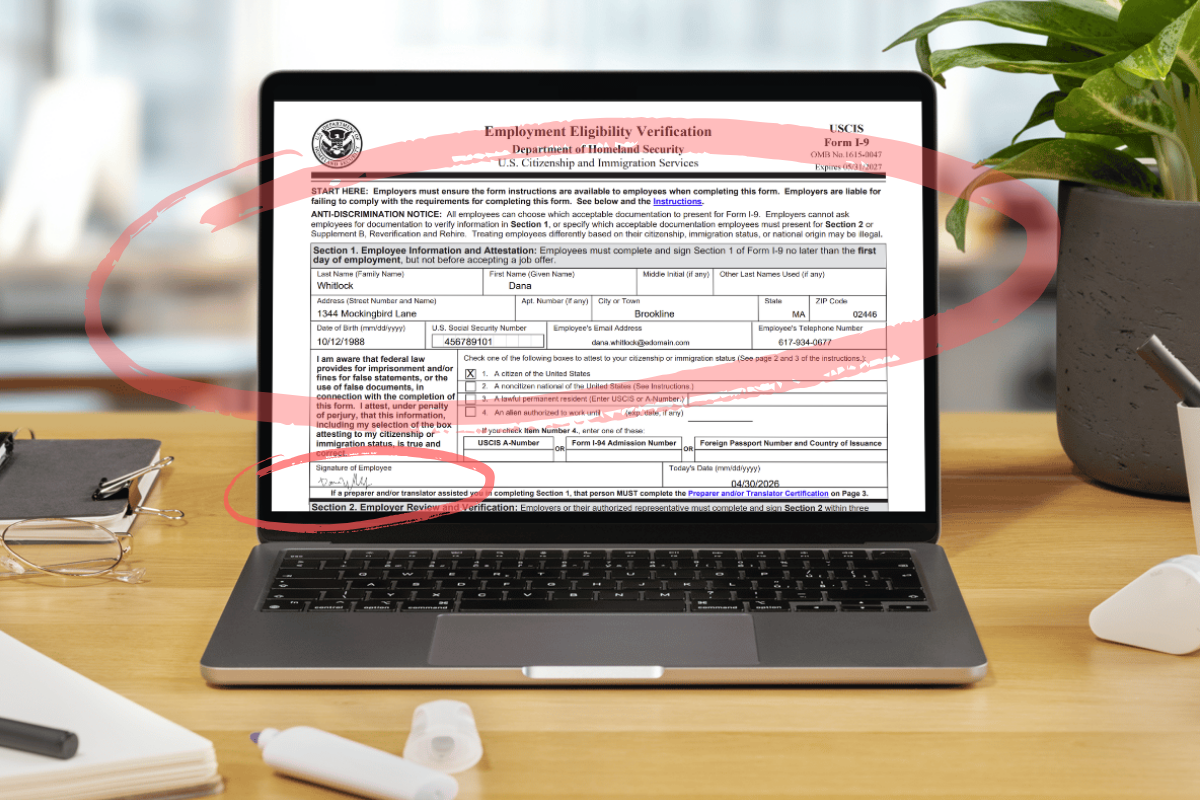
The PDF is the actual USCIS Form I-9 — not a clone, not a "simplified version," not a redesign. The form's exact field layout, with both signatures placed at the correct coordinates and the Alternative Procedure checkbox marked when applicable. Drop it in the compliance file, hand it to an auditor, the form is what an auditor expects to see.
The math
| Metric | Greg's first remote I-9 (DocuSign + scramble) | Greg's second remote I-9 (one link) |
|---|---|---|
| Time to complete the full I-9 workflow | ~4 hours of phone calls + 22-minute drive for new hire | 5 minutes total, no travel |
| Risk of missing the 3-day deadline | High; missed by 70 minutes' margin | Effectively zero |
| Cost of missing the deadline | $288–$2,861 per form | n/a |
| Tools involved | DocuSign + email + payroll provider + notary | One link |
| Compliance file location | "Somewhere in my inbox" | Single audit-ready PDF in onboarding folder |
Greg's hourly billing rate as a consulting principal is high enough that four hours of his own time scrambling on day three of a new hire's employment is its own line item. That cost doesn't show up on any invoice, but it's real, and it scales linearly with hire frequency.
For a 25-person firm on a growth curve, the hire frequency keeps going up.
Why this matters for other remote-first consulting firms
Consulting firms that hire a mix of W-2 and 1099 workers have a particular friction profile. The 1099 onboarding is genuinely simpler — no I-9, no W-4, no direct-deposit-as-payroll. But that simplicity creates a trap: firms get used to "it's just a W-9 and a contract" and assume W-2 hires are roughly the same with a few extra forms. Section 2 of the I-9 is the form that breaks that assumption.
Two patterns I've seen in other consulting and professional-services firms after they consolidated:
The legal exposure stops being a "thing we hope nobody audits." Most small-firm I-9 compliance lives in inboxes and shared drives. The first time a state agency or ICE asks for the file, the firm spends a week assembling it and discovers three forms are incomplete. Consolidating onto one link with one audit-ready PDF per hire collapses that risk.
The 1099-to-W-2 conversion stops being a paperwork emergency. Firms grow by converting their best contractors into employees. When the conversion paperwork lives in a different process than the original onboarding, conversions get delayed. A unified intake template with both worker-type variants makes the conversion a template-switch, not a project.
Frequently asked questions about remote I-9 verification for consulting firms
Does the authorized representative need to be in the same state as the new hire?
No. There is no jurisdictional requirement on the authorized representative's location. The rep just needs to physically examine the documents in person (or examine them via video if the employer is enrolled in E-Verify and using the alternative procedure). For remote consulting firms, the rep is often a local notary or attorney the new hire identifies in their own town.
What if the new hire is also a 1099 contractor first, then converts to W-2 later?
Form I-9 is required only for W-2 employees, not 1099 contractors. When a contractor converts to employee, the I-9 needs to be completed at the start of the W-2 relationship — Section 2 within three business days of the new W-2 start date, even if the same person worked as a contractor for months prior. The contractor-period work history is irrelevant to the I-9 timeline.
Can a small firm handle remote I-9s without enrolling in E-Verify?
Yes. The authorized representative path is available to all employers regardless of E-Verify enrollment. Video examination (the alternative procedure) is the path that requires E-Verify enrollment. Most small consulting firms use the authorized representative path until they're large enough to have HR infrastructure that justifies E-Verify.
What to try next
If your firm hires remote W-2 employees and your current onboarding stack is "DocuSign for the offer letter and email for everything else," the failure mode Greg almost hit is exactly the one waiting for you. The fix isn't a new tool for I-9 specifically — it's collapsing the entire onboarding workflow into one link so Section 2 is part of the same flow as the offer letter and the W-4, not a separate emergency on day three.
Start a free OnboardingGenie account and run your next hire through it.
Founder, OnboardingGenie